[Troubleshooting] QueryDSL StackOverflowError Investigation
I’m sharing about a Querydsl StackOverflow issue I encountered at work.
Problem Occurrence
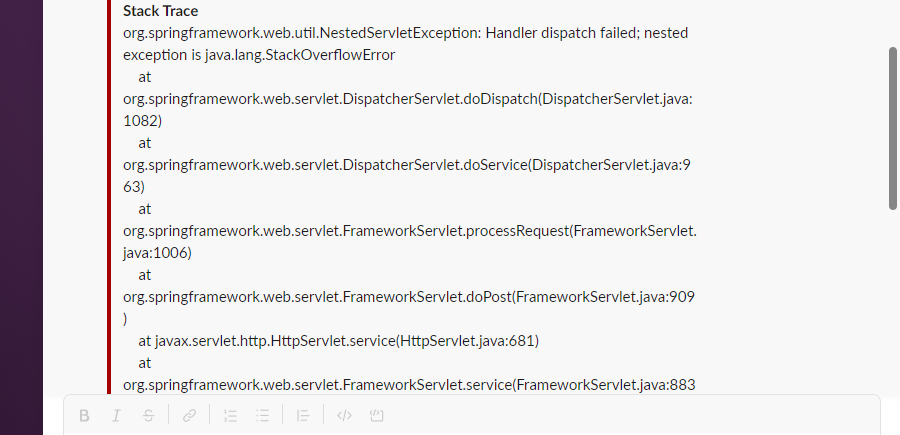
As always, the problem starts with a Slack message.
As soon as I received the message, I couldn’t help but react with “huh?” StackOverflow? Was there recursively implemented code in the server?
What is StackOverflow
As you all know well, StackOverflow is a situation where an error occurs because more stack memory is used than the specified stack memory size.

When a method is called, a new Stack frame is created on the call stack. This Stack frame contains the called method’s parameters, local variables, and the method’s return address, i.e., the point where method execution should continue after the called method returns.
Stack frame creation continues until the end of method calls found within nested methods is reached.
If the JVM runs out of space to create a new stack frame during this process, a StackOverflowError occurs.
The most common reason the JVM faces this situation is unterminated/infinite recursion.
Cause
The point where the cause occurred was not difficult to find.
It was QueryDsl, which we used to facilitate dynamic query creation while using JPA.
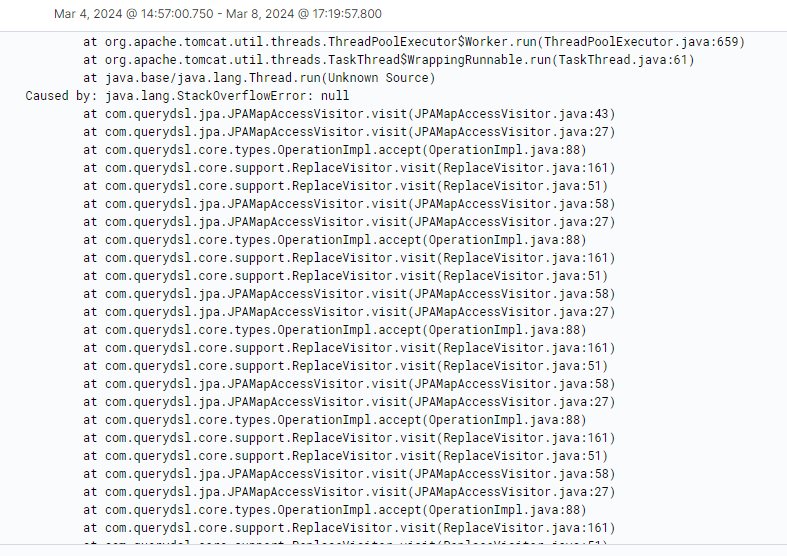
As soon as I saw the Stacktrace, ah…
I thought there must be a recursively implemented part in Querydsl.
Let’s dig into the code.
I’ll look at each of the JPAMapAccessVisitor, OperationImpl, and ReplaceVisitor.
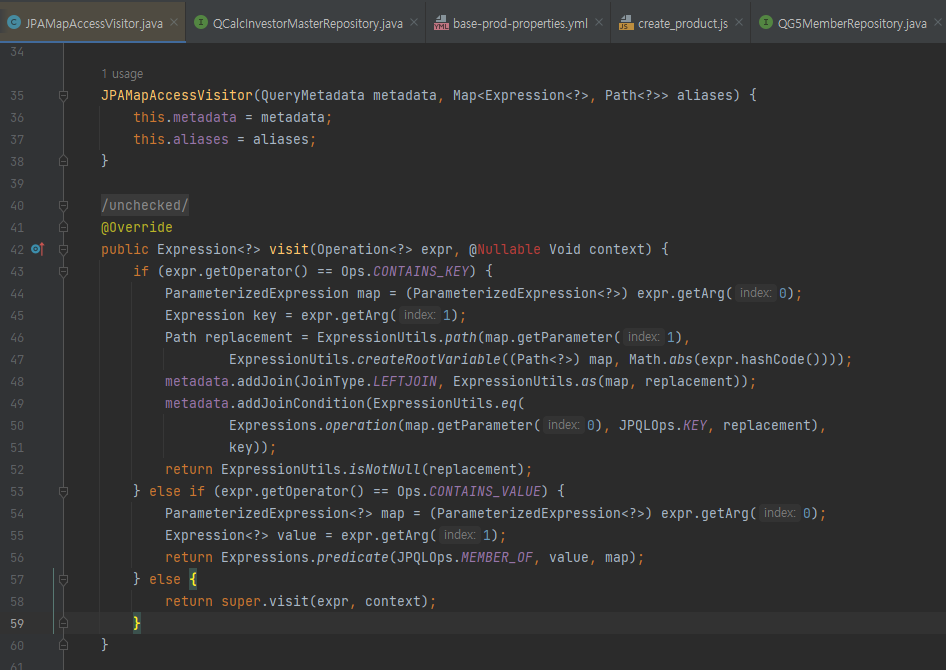
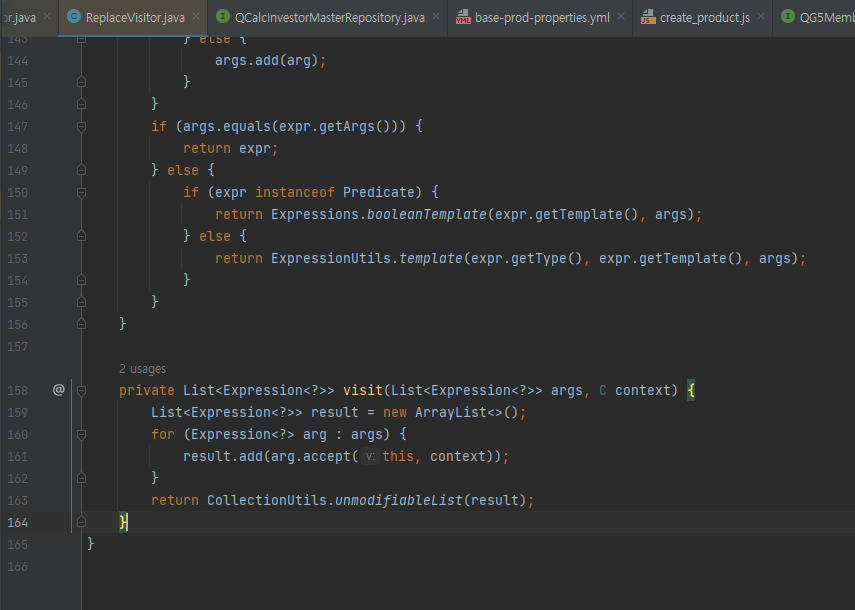
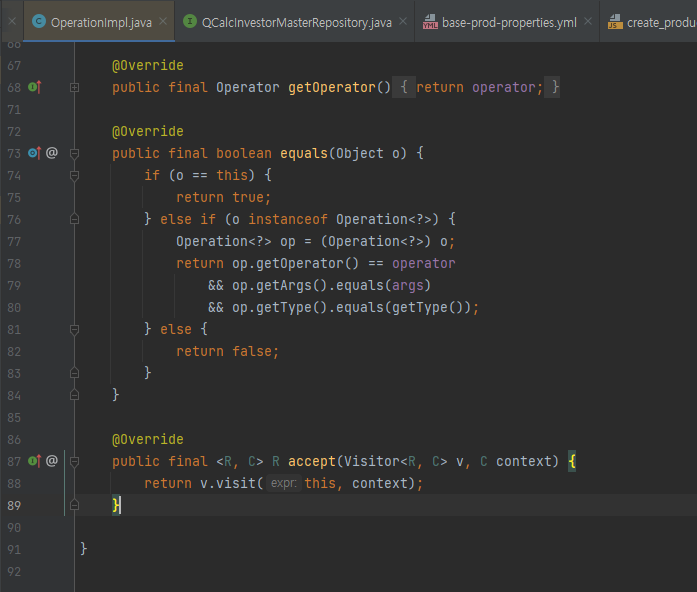
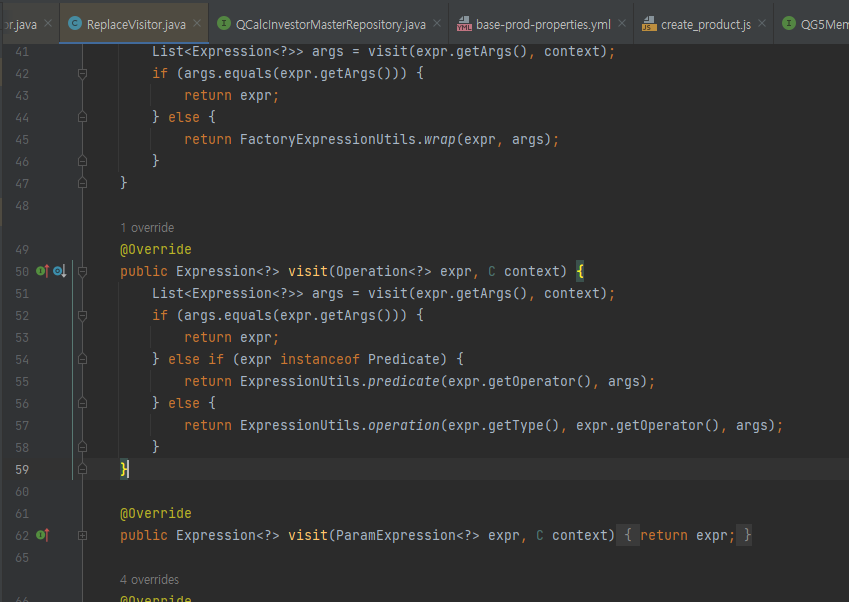
After digging into the code, it was correct that it was recursively implemented in the process of creating condition Expression.
It was diligently stacking Stack frames by repeatedly going through JPAMapAccessVisitor lines 27,58, OperationImpl line 88, and ReplaceVisitor lines 51,161.
But Here’s the Thing
At first, I thought the problem occurred when using BooleanBuilder, which we commonly use, and it went through the above logic.
However, the actual cause was chaining BooleanExpression.
| |
Why does this cause problems?
BooleanExpression is an Immutable object. Every time you call and() or or(), it creates a new object.
| |
If you chain 2000 conditions like this, the following structure is created.
                    OR
                   /  \
                  OR   expr2000
                 /  \
                OR   expr1999
               /  \
              OR   expr1998
             ...
            /  \
          expr1 expr2
A tree with a depth of 2000 is created.
And when converting this tree to a query (serialization), it makes 2000 recursive calls, eventually causing a StackOverflow.
In the case where the Slack message above came, there were over 2000 conditions.
Solution
So how should we solve it?
Method 1. Using BooleanBuilder
| |
Unlike BooleanExpression, BooleanBuilder is a Mutable object.
Looking at the internal code:
| |
Instead of creating a new object each time, it updates the internal predicate field.
Therefore, it can use memory efficiently without unnecessary recursive calls.
Method 2. Using ExpressionUtils.inAny() (QueryDSL 3.6.0+)
For bulk IN conditions, you can use the utility provided by QueryDSL.
| |
Why split into 999?
Oracle DB can only put a maximum of 1000 items in an IN clause (ORA-01795 error). It’s recommended to safely split into 999.
Method 3. Manual Partitioning
| |
This way, SQL is generated like this:
| |
Method 4. Using Temporary Table (When Really Large)
If conditions are extremely large, in the tens of thousands or more, this method is also available.
| |
Method 5. Writing JPQL Directly
For my project situation, I concluded to use JPQL.
| |
Note: JPQL can also have the same problem if you put bulk conditions directly in the IN clause, so I applied partitioning together.
Solution Comparison
| Method | Advantages | Disadvantages | Recommended When |
|---|---|---|---|
| BooleanBuilder | Simple and safe, maintains type safety | - | Generally recommended |
| ExpressionUtils.inAny() | Cleanest code | Requires QueryDSL 3.6.0+ | When using latest version |
| Manual Partitioning | Compatible with all versions | Code becomes a bit longer | When using older versions |
| Temporary Table | Optimal for large data | Increased complexity | When tens of thousands or more |
| Writing JPQL Directly | Complete control | Loses type safety | Last resort |
We concluded to use BooleanBuilder consistently.
Additional Tips
Adjusting JVM Stack Size (Temporary Measure)
While not a fundamental solution, you can increase the stack size in urgent cases.
| |
Warning: This is only a temporary measure, and the fundamental solution is condition splitting.
Oracle IN Clause Limitation
| |
In Conclusion
It was nice to see a StackOverflowError after a long time.
On the other hand, I thought that Querydsl is one more dependency from the application’s perspective, so it’s one more point where failures can occur.
Key Lessons
- BooleanExpression chaining is dangerous (causes StackOverflow with bulk conditions)
- Using BooleanBuilder is safe (safe as a mutable object)
- Oracle IN clause has a 1000 limit (split into 999)
- Choose the solution that fits your situation (ExpressionUtils.inAny() > BooleanBuilder > JPQL)
Everyone be careful when processing bulk conditions with Querydsl!
Reference
- QueryDSL GitHub Issue #721 - StackOverflow error
- Google Groups - StackOverflowError discussion
- QueryDSL BooleanBuilder Source Code
- QueryDSL BooleanExpression Source Code
The above content may contain inaccurate information. As a first-year backend developer, I’m aware that I’m quite lacking, so I’m worried that the information I’ve written may not be accurate. My information may be incorrect, so please use it for reference only and I recommend looking into the related content yourself. If there’s any incorrect information or if you’d like to comment on anything, please feel free to write. I’ll accept it and strive to improve.